
I’ve watched people use AI for about three years now. The ones getting 10x the value out of it aren’t using fancier models or secret prompts. They’ve built different habits. Small shifts in how they structure requests that compound over time into dramatically better outputs.
Here’s what I’ve noticed separates serious AI users from everyone else in 2026.
Most People Are Still Using AI Like Google
Type question, read answer, close tab. That’s how most people interact with AI tools today, and it’s a waste of the technology. It’s like having a skilled researcher on call 24/7 and only asking them to spell-check your emails.
The gap between casual AI users and power users isn’t about intelligence or technical skill. It’s about structure. Power users build systems: they set context upfront, they iterate deliberately, they store what works. Casual users start from scratch every single session.
The Neuron’s framework for AI proficiency describes it well: power users don’t write fancier prompts, they build projects, encode expertise, and create reusable systems. That’s the real difference.
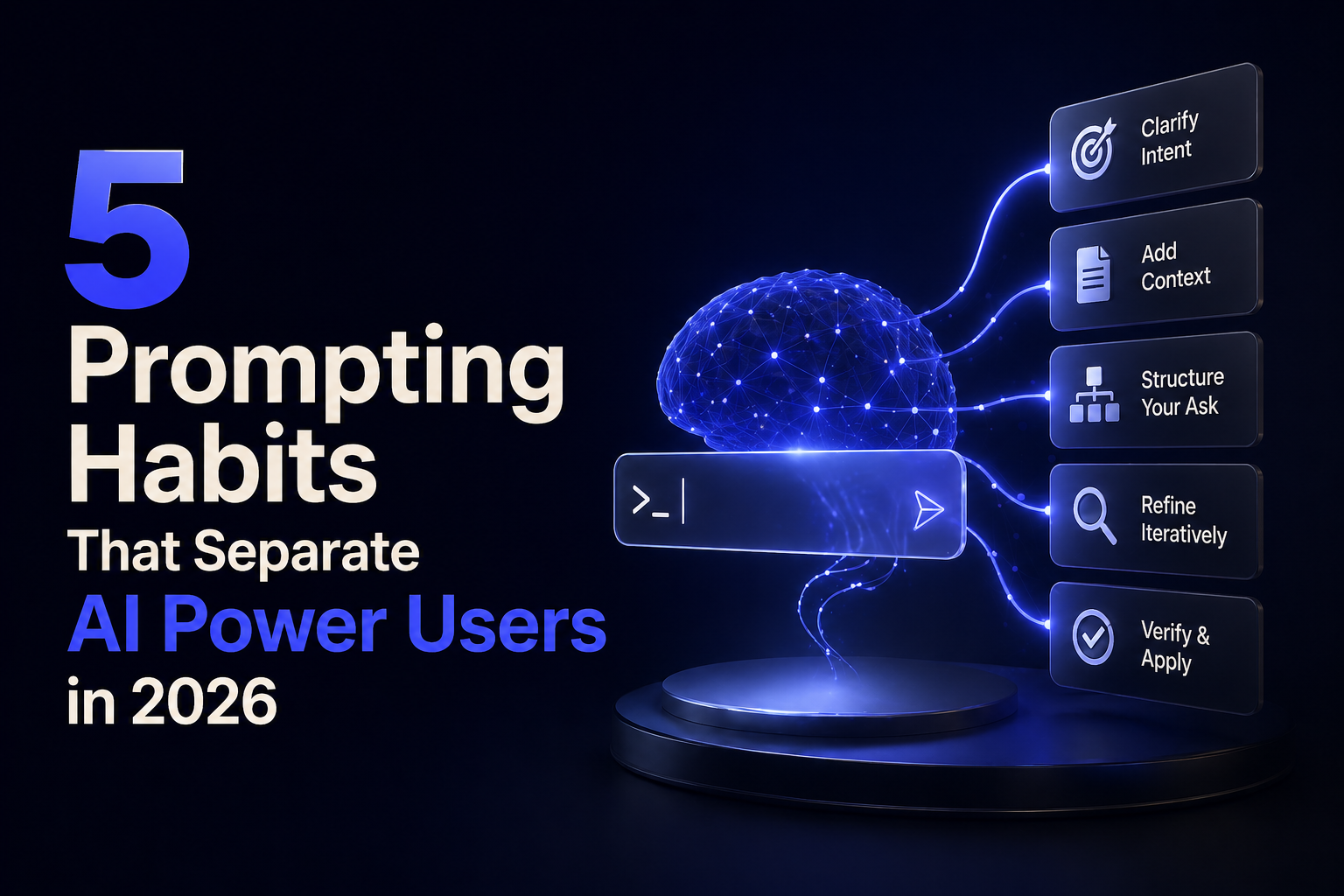
Habit 1: Context First, Every Time
AI isn’t a mind reader. It’s a context machine. The more specific information you give it upfront, the sharper the output.
Bad: “Write a product description for my software.”
Better: “I’m the founder of a B2B SaaS tool for HR teams at companies with 50 to 200 employees. Our main differentiator is a 10-minute onboarding setup vs the industry average of 2 weeks. Target reader is a skeptical HR director who’s been burned by software promises before. Write a 150-word product description that leads with the time-to-value angle.”
I’ve tested both versions across several projects. The second type of prompt consistently produces usable output on the first try. The vague version usually needs three or four rounds of correction, which wastes more time than writing the longer prompt.
Habit 2: Ask AI What It Needs From You
This one surprised me when I first tried it. Most users try to think of everything themselves before prompting. Power users do the opposite: they ask the model what information would help it give a better answer.
Try this: after giving your initial prompt, add “What additional context would help you give me a more accurate answer?” The model will identify gaps you didn’t think of. Claude, GPT-5, and Gemini 3.1 are all genuinely good at this in 2026.
Habit 3: Never Accept the First Draft
The first output is a warm-up. Always. Even when it looks good, pushing harder almost always produces something sharper.
Simple follow-ups that work: “Make the opening more specific.” “Cut 30% of the length without losing the core argument.” “The second paragraph is weak. Rewrite it with a concrete example.”
You don’t need complex feedback. Specific, short direction works better than long critique. I’ve found that one targeted correction per iteration produces better results than listing five things to fix at once.
Habit 4: Build a Personal Prompt Library
Most people find a prompt that works and never write it down. Next session, they start from scratch. Power users treat their best prompts like assets.
When you get output you love, ask the model to reverse-engineer it: “This is exactly the quality I want. Write me a reusable prompt template that would reliably produce this type of output, including role, tone, structure, and formatting rules.”
Then save that template. Within a few weeks you’ll have a library of prompts tailored to your actual workflows. This compounds significantly over time.
Habit 5: Match the Model to the Task
In 2026, not every task needs the most powerful model available. Using a frontier model for everything is like taking a taxi for a five-minute walk.
For quick drafts, summarization, or idea brainstorming: Gemini Flash-Lite at $0.25/M tokens or GPT-4o-mini handles these fine and runs faster. For deep reasoning, complex analysis, or high-stakes writing: Claude or GPT-5 class models earn their higher cost. For mixed-media tasks involving images, audio, and text together: Gemini 3.1 Ultra’s native multimodal approach is worth the overhead.
Picking the right tool for the job isn’t just about cost. Lighter models respond faster, which matters when you’re iterating quickly.
Who Actually Needs to Build These Habits?
Honestly, anyone who uses AI more than twice a week for work. If you’re a content creator, developer, marketer, researcher, or analyst, the ROI on building these habits is real. I’ve tracked my own output over the past six months and the difference in usable-first-draft rate is significant.
If you’re a casual user who asks AI questions occasionally, these habits are overkill. Start with habit 1 (context first) and see if it changes your results before adding the others.
Common Mistakes I See Constantly
Vague prompts with no audience or goal specified. Accepting first drafts without pushing back. Using one massive prompt instead of iterating in steps. Never saving prompts that worked well.
The other big one: treating every model the same way. Claude responds better to semantic clarity and XML-style tags. GPT models generalize well from short, structured prompts. Gemini works best when you start broad and zoom in hierarchically. Same habits, slightly different style per model.
External Links Referenced:
- “The Neuron’s AI proficiency framework” → https://www.theneuron.ai/explainer-articles/how-to-actually-use-ai-in-2026-the-complete-guide/
- “Axios prompting guide” → https://www.axios.com/2026/04/28/improve-your-ai-prompt
FAQ Section:
Q: What’s the most important prompting skill to learn first?
A: Context. Give the model your role, your audience, your goal, and any constraints before asking for output. That single habit improves results more than any other technique.
Q: Does prompt engineering still matter in 2026 with smarter models?
A: Yes, more than ever. Smarter models respond even better to well-structured prompts because they can do more with better input. The gap between good and bad prompts actually widens as models improve.
Q: Is there a difference in prompting style between Claude and ChatGPT?
A: Yes. Claude responds well to semantic clarity and structured tags like context/task labels. GPT models do well with short, structured prompts and numbered lists. Gemini responds best to hierarchical prompts that start broad and get specific.
Q: How long should a good prompt be?
A: As long as needed, no longer. A complex task needs a detailed prompt. A simple request doesn’t. The goal is specificity, not length. A 20-word vague prompt is worse than a 100-word specific one.
Q: What’s a prompt library and how do I build one?
A: A prompt library is a saved collection of prompts that reliably produce the outputs you want. Build it by asking AI to reverse-engineer successful outputs into reusable templates, then store them in a doc or note-taking app.
Q: Should I use AI Projects or just regular chat?
A: Projects are significantly better for recurring work. They let you set persistent instructions, upload reference documents, and maintain context across sessions. Regular chat is fine for one-off tasks.
Q: What’s the biggest prompting mistake beginners make?
A: Accepting the first output. Always iterate. The first draft is a starting point, not the final answer.