

Everyone learned prompt engineering. Add a role. Be specific. Say “think step by step.” And for a while, that was enough to get noticeably better results than most people around you.
That gap has closed. The basics are table stakes now. What actually separates good AI users from great ones in 2026 is something slightly different: context engineering.
I’ve been using this framing for a few months and it’s genuinely changed how I structure my AI workflows. Here’s what it means and how to apply it practically.
What Context Engineering Actually Is
Prompt engineering is about how you ask. Context engineering is about what you give the model to work with before it starts answering.
The insight is simple: a language model’s output quality is bounded by the quality of its context window. It can only reason over what it can see. So instead of obsessing over the exact phrasing of your question, you spend more energy curating what goes into the conversation before the question even gets asked.
IBM’s 2026 guide frames it well: context engineering means shaping not just what you ask, but how the model interprets and responds, using techniques like retrieval-augmented generation, structured inputs, and conversation history management.
In practice this looks like: pasting in a document before asking about it, giving the model examples of the exact output format you want, or pre-loading relevant background before a complex analysis task. None of these are new individually. The shift is treating them as a system rather than scattered tips.
The Four Layers That Actually Matter
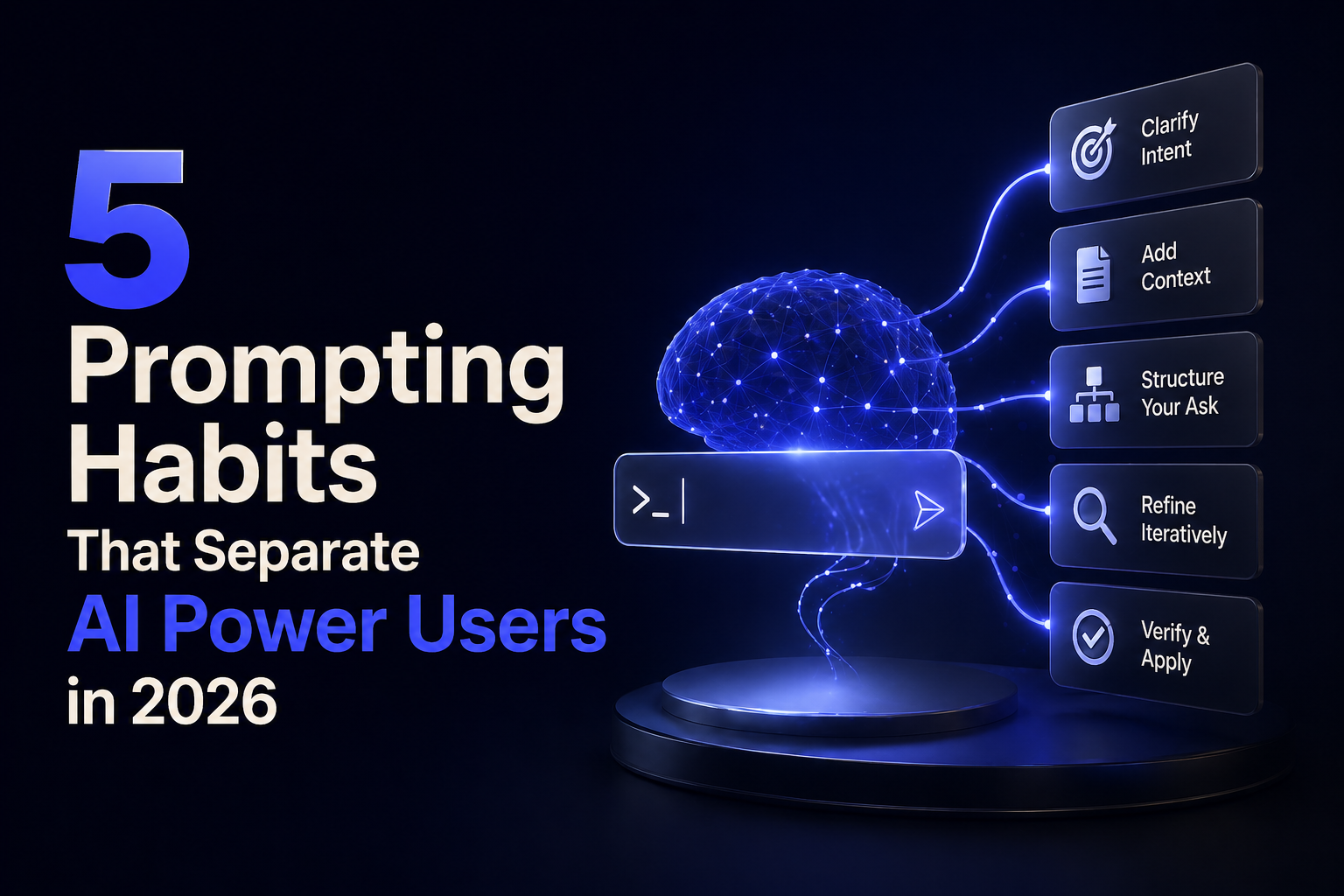
I’ve settled on four things that consistently move the needle when building context for any AI task.
Role plus constraints, not just role. Assigning a role (“you are a senior product manager”) helps. But adding explicit constraints changes outputs dramatically. “You are a senior product manager. You do not use jargon. You always lead with the customer problem before any solution. You write in plain sentences under 20 words.” That second version produces consistently better output because the model has guardrails, not just a persona.
Examples of the output you want. This is the highest-leverage thing most people skip. Before asking the model to write something, show it one or two examples of exactly what good looks like. Not described. Shown. Few-shot prompting has been in the research literature for years but most people still don’t do it in daily use. Research consistently shows 20 to 60% quality improvement on standardized benchmarks when using well-structured examples versus zero-shot requests.
Relevant documents, not memory. Models don’t remember your previous conversations. Every session starts blank. If you have a style guide, a brand doc, a previous draft, or a reference document that’s relevant to your task, paste it in. This sounds obvious but I’ve watched experienced professionals spend ten minutes crafting a prompt when pasting a two-page brief would have done more.
The “what to avoid” instruction. Most prompts tell the model what to do. The ones that tell it what not to do as well produce noticeably more consistent results. “Do not use bullet points. Do not open with a question. Do not include a summary at the end.” These negative constraints act as guardrails that survive across long responses where positive instructions sometimes drift.
Where This Gets Interesting for 2026
Context windows are now genuinely large. Claude and GPT both support contexts well into the hundreds of thousands of tokens. That means you can load substantial amounts of information into a single session.
The skill shift this creates: instead of writing clever prompts, you’re becoming a curator. What goes in the context? In what order? Which documents are relevant and which create noise? This is closer to information architecture than creative writing.
I tested this difference recently on a competitive analysis task. With a well-constructed prompt but minimal context, I got a generic five-point comparison. With the same basic question but after loading three competitor pages, a positioning doc, and two customer interview summaries, the output was specific, grounded, and genuinely usable. Same model, same question structure. The context did the work.
The Model-Specific Quirks Worth Knowing
Not all models respond to context the same way. Based on current documentation and my own testing: Claude responds well to XML-tagged instructions when you need strict structure, especially for multi-step tasks. GPT models tend to prefer concise, hierarchical instructions where meta-level guidance comes before task-level detail. Gemini handles layered prompts well but benefits from clear hierarchy: put your overall instructions before your specific task details.
Chain-of-thought still works across all of them. Asking the model to reason step by step before giving a final answer consistently improves performance on anything involving logic, math, or multi-step analysis. The 2026 version of this is adding it as a permanent instruction in your system prompt rather than typing it each time.
The One Habit That Changed My Workflow Most
Treating prompts like code. Version them. Test them. Measure them. If you use the same prompt structure more than three times, write it down somewhere and refine it over iterations. Tools like PromptFoo let you run the same prompt against multiple models and compare results systematically. LangSmith traces exactly which prompt produced which output.
This sounds like overkill for personal use. But if you’re running any kind of AI-assisted workflow for work, the five hours you spend building a proper prompt library saves fifty hours a month in inconsistent outputs and reruns.
FAQ Section:
Q: What is context engineering vs prompt engineering?
A: Prompt engineering focuses on how you phrase your question. Context engineering focuses on everything you give the model before the question: documents, examples, constraints, format instructions, and background. It’s a more complete frame for getting consistently good AI outputs.
Q: Does this work on free AI tools or only paid ones?
A: It works on any model. The techniques apply whether you’re using free Claude, ChatGPT, or Gemini. Larger context windows on paid tiers let you load more material, but the core principles apply universally.
Q: What’s the single highest-impact change most people can make?
A: Adding examples of what good output looks like before making your request. Most people describe what they want. Showing the model what you want, even one example, consistently produces better results.
Q: How do I handle context across long conversations?
A: Models don’t retain memory between sessions. For recurring tasks, build a “starter context” document you paste at the beginning of each session. Include your role instructions, constraints, format preferences, and any reference material. Treat it like a settings file.
Q: Is prompt engineering as a job skill dead?
A: The standalone job title is declining, with around a 40% drop in dedicated prompt engineer postings from 2024 to 2025. But the underlying skill is more valuable than ever, just absorbed into broader roles like AI workflow design and automation engineering.
Q: How is context engineering different for Claude vs ChatGPT?
A: Claude responds particularly well to XML-tagged structure for complex instructions. ChatGPT prefers concise hierarchical instructions. Gemini handles layered prompts well with clear meta-to-task ordering. The principles are the same; the syntax preferences differ slightly.
Q: How do I know if my context engineering is actually working?
A: Run the same core request with and without your structured context and compare outputs directly. The difference is usually obvious. For production workflows, tools like PromptFoo let you test systematically across multiple inputs and models.
Q: Do I need to learn this if AI tools keep getting smarter?
A: Yes. Models are getting better at understanding intent, but they’re still bounded by what’s in their context window. Better models make good context more powerful, not less necessary.
External Links Referenced:
- IBM 2026 Prompt Engineering Guide → ibm.com/think/prompt-engineering
- PromptFoo open-source testing → promptfoo.dev
- LangSmith tracing tool → smith.langchain.com